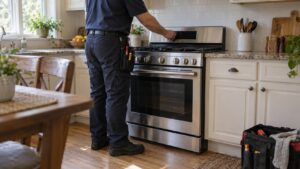
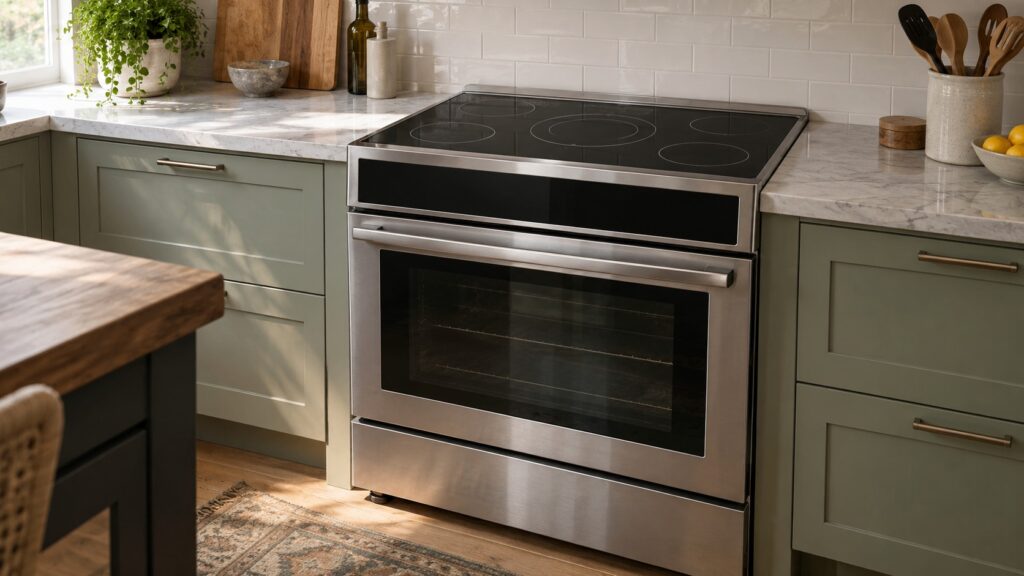
Electrolux range features carry names that sound alike but mean different things: Wave-Touch and IQ-Touch are control panels, True Convection, Perfect Taste Convection and Dual Convection are oven fan systems, Luxury-Glide and Smooth-Glide are rack types, and Flex-2-Fit and Min-2-Max are surface-cooking features. This glossary explains each term as it appears on our Electrolux range model pages, grouped by what you actually touch in the kitchen, so you can read a spec sheet or describe a problem without guessing.
What are Wave-Touch and IQ-Touch controls?
These are the control-panel names Electrolux used on different ranges. Wave-Touch appears on models such as the EW30EF65GS and EW30ES65GS, and IQ-Touch on models such as the EI30EF55GS and EI30GF45QS. Both describe an electronic touch panel that manages the cooktop and oven. What matters when something goes wrong is that a touch panel is an electronic part: a pad that stops responding, a panel that locks, or a display that shows an F code belongs to the control family, not the heating system. When a range will not accept input, see our Electrolux range F10 guide for how the F codes are grouped.
What is the difference between True, Dual and Perfect Taste Convection?
All three put a fan in the oven so hot air circulates rather than sitting still, which evens out baking and shortens some cook times. True Convection powers the oven on the EI30IF40LS, Dual Convection is listed on the EW30ES80RS, and Perfect Taste Convection is the name on the EI30GF45QS and on wall ovens. The practical differences between them are model-level details like fan count and temperature settings; for everyday use they act alike. We explain the idea in how Perfect Taste Convection works. Self-Clean Convection, on the induction range EW30IF60IS, means the self-cleaning cycle ran in both its main and secondary ovens with the fan.
What do Luxury-Glide and Smooth-Glide racks do?
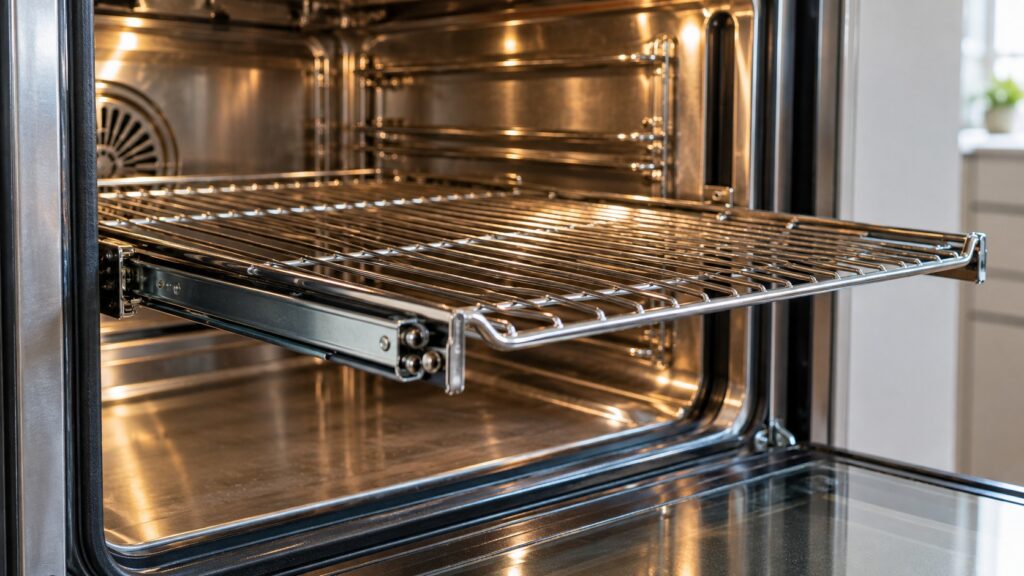
Luxury-Glide and Smooth-Glide are names for racks that slide in and out on a track instead of dragging across the oven cavity. The point is safety and ease: you can pull a heavy roasting pan toward you without lifting it over a hot edge. The EI30GF45QS and EI30IF40LS list Luxury-Glide racks, and the E30GF74GPS lists Smooth-Glide racks. For care, wipe the rack and track when the oven is cool, and do not run a self-clean cycle with the glide racks inside unless your manual says it is safe, since the high heat can strip the slide coating.
What are Flex-2-Fit elements and the Min-2-Max burner?
These are surface features. Flex-2-Fit Elements, listed on the EW30ES80RS, let one radiant element adjust to the pan size, in the same spirit as an expandable element on other brands. The Min-2-Max Burner, on the gas EI30GF45QS, is a burner that covers a wide range from low simmer to high boil. The ICON range E30GF74GPS adds Continuous Grates, one grate surface across several burners so pots can slide between them. If an element or burner stops working, those are symptom-based faults; gas surface burners carry no code on these ranges.
What is a Meat Probe, a Hidden Bake Element and Rapid Preheat?
A Meat Probe is a temperature probe you push into the food and plug into a socket in the oven; the oven then shows or controls to the food temperature rather than the air temperature. A Hidden Bake Element, listed on the EW30EF65GS, is a bake element beneath the oven floor, so the floor is smooth and easier to clean. Rapid Preheat, on the EW30ES80RS, is a faster oven start-up. Each is a convenience, and each adds a part that can fail. A probe that gives a strange reading or a socket that does not respond is a common service call.
How do the self-clean and warming terms fit in?
No-Odor Self-Clean, listed on the EI30EF35JS, is the self-cleaning cycle that cleans the oven with high heat; you can read how it works in how an Electrolux self-clean oven works. A Warming Zone is a lower-heat area on the cooktop for keeping food warm, and a Warming Drawer is a drawer under the oven for the same job. Star-K Sabbath Mode, listed on the EI30GF45QS and EI30IF40LS, is a setting that changes how the oven operates during observance. These features are model-specific, so check the model number on your range before assuming a feature exists.
If a feature on your range misbehaves, our Electrolux EI30EF range series guide compares the siblings, and Electrolux range repair can diagnose the exact model. You can also schedule a visit at any time.
Which terms matter when I describe a problem?
Use the feature name only to identify your model, then describe what the range does. Saying “the Wave-Touch panel ignores my touch” tells a technician more than “the screen is broken”, because it tells them which control family to test. Saying “the convection fan runs but the oven stays cool” separates a fan problem from a heating problem. Describe the pan, the rack position and the setting you used, and mention whether a code is on the display. The more precise the description, the fewer trips a repair takes, since the technician arrives with the right control, probe, rack track or fan motor. Several of these features are old designs on ranges we still service, so the terms may differ from the current brochure.
Finally, keep the model number handy. It is on a label on the frame behind the oven door or the storage drawer, and every feature in this glossary traces back to it.